That Price Tag Is a Lie: What Retailers Don't Want You to See Before You Pay

You found the item. The price looked right. You even felt a little proud of yourself for comparison shopping. Then you hit checkout — and suddenly the number on your screen looks nothing like the one that convinced you to click "Add to Cart" in the first place.
Welcome to one of online retail's dirtiest open secrets: the gap between the price you see and the price you actually pay is rarely an accident. It's a system — carefully designed, psychologically tested, and quietly profitable for everyone except you.
Let's break down exactly what's happening between that product page and that payment confirmation screen.
The "Base Price" Illusion
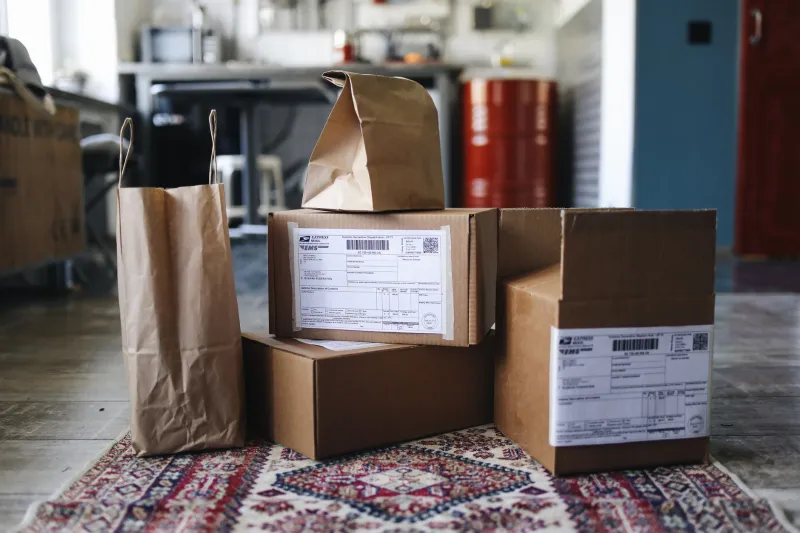
Retailers have gotten extremely good at advertising the most attractive version of a price — stripped of every possible add-on. That $89 blender? That's before the $12.99 "processing fee," the $8 handling charge, and the optional (but heavily nudged) $15 extended protection plan that magically shows up pre-checked in your cart.
This isn't limited to sketchy discount sites, either. Major platforms do it too. Ticket sellers are notorious for this — you pick seats at $45 each, only to discover at the final screen that fees have quietly pushed the real cost past $70. The practice is so widespread that the Federal Trade Commission has been actively pushing for rules requiring retailers to show the full price upfront. But until those rules have teeth, you're largely on your own.
The fix: Never trust the number on a product listing until you've walked all the way to the payment page. Annoying? Yes. Necessary? Absolutely.
Dynamic Pricing: The Price That Watches You Back
Here's something that might genuinely unsettle you: the price you see may not be the price your neighbor sees — even if you're both looking at the exact same product at the exact same time.
Dynamic pricing is an algorithmic practice where retailers adjust costs in real time based on factors like your location, browsing history, device type, and even the time of day. Airlines pioneered this model, but e-commerce has adopted it enthusiastically. Research has shown that Mac users have sometimes been shown higher hotel rates than Windows users. Shoppers in higher-income zip codes can see inflated prices for everyday goods.
This isn't paranoia — it's data-driven price discrimination, and it's perfectly legal.
What can you do? A few things actually work:
- Browse in incognito or private mode to reduce the tracking footprint that feeds these algorithms.
- Use a VPN to mask your location if you suspect geographic price differences.
- Check prices across multiple devices — your phone and your laptop may literally show different numbers for the same item.
- Use price tracking tools like Honey, CamelCamelCamel (for Amazon), or Google Shopping to see historical pricing trends before you commit.
The Pre-Checked Box Problem
Scroll through your next checkout carefully — and we mean carefully. Somewhere in that process, there's a very good chance you'll find a box that's already checked on your behalf.
Maybe it's a subscription renewal. Maybe it's an add-on warranty. Maybe it's a donation to a charity you've never heard of, or a newsletter that comes with a surprise membership fee after 30 days. Retailers call this "opt-out" design. Consumer advocates call it something less polite.
The psychology is simple: unchecking a box feels like you're taking something away, which creates mild discomfort. So most people don't bother. The retailer counts on exactly that.
Make it a habit to treat the checkout page like a contract — because it basically is one. Read every line. Uncheck everything that wasn't your idea.
Shipping Fees and the Free Threshold Game
Free shipping is one of the most powerful marketing tools in e-commerce, and retailers know it. Studies consistently show that shoppers will spend more money to qualify for free shipping than they would have spent just paying the shipping fee outright.
The threshold is usually set just high enough to make you stretch. You're at $43 in your cart and free shipping kicks in at $50? Congratulations — you're about to buy something you didn't need to save $6.99 in shipping costs. The retailer just made an extra $7 or more off your desire to feel like you won.
And if you don't qualify? That's when the tiered shipping options appear — Standard, Expedited, Priority — each one priced to make the middle option look like the smart choice. This is called "anchoring," and it works on almost everyone.
Before you throw something extra in your cart to hit a free shipping minimum, do the actual math. Is the item you're adding something you genuinely want, or is it just a $10 sacrifice to avoid a $7 fee?
Taxes, Surcharges, and the "Marketplace" Loophole
On large marketplace platforms, you might be buying from a third-party seller who operates under different tax rules, return policies, and fee structures than the platform itself. The product page often doesn't make this obvious.
Some sellers add their own handling surcharges on top of platform fees. Others quote prices that exclude state sales tax — which, depending on where you live, can add anywhere from nothing to over 10% to your final bill. A $95 item in a state with 9% sales tax is actually $103.55. That's not a rounding error; that's real money.
Always check the seller details on any marketplace purchase. Look for whether the seller is the platform itself or a third party, and factor in your state's tax rate before you decide whether the deal is actually a deal.
How to Protect Yourself at Checkout
You don't have to become a cynic about online shopping — you just need a system. Here's a quick checklist to run before you hit that final "Place Order" button:
- Compare the product page price to the checkout total. If the difference is more than your expected shipping and tax, find out why.
- Read every line on the checkout page. Uncheck anything you didn't intentionally select.
- Look up price history before buying anything over $30. Tools like CamelCamelCamel and Honey do this automatically.
- Search for coupon codes before paying. A 30-second Google search for "[retailer name] promo code" frequently turns up working discounts.
- Screenshot the product page price before you start checkout. If something changes, you have documentation to dispute it.
- Check the return policy on the checkout page — some fees are non-refundable even if you send the item back.
The Bottom Line
Retailers aren't evil — but they are businesses, and their checkout flows are engineered to maximize revenue at every possible step. That's not a conspiracy; it's just how the game is played. The good news is that once you know the rules, you can play smarter.
At HNB Shop, we think you deserve to know exactly what you're paying before you commit — not after. Take an extra two minutes at checkout, run through the checklist, and make sure the price you're paying is actually the deal you thought you were getting. Your bank account will thank you.